
How to Add a New Lead
4 min read
Capture a new lead in Stellivo so your team can follow up, assign ownership, and move the opportunity through your pipeline. This guide walks you through opening Leads, creating a record, filling the required details, and saving it successfully.
Quick Visual Overview
1
Open LeadsGo to Leads & CRM in Stellivo
2
Add leadClick Add New Lead and fill details
3
SaveSave and confirm it appears in the list
Step-by-Step Instructions
1
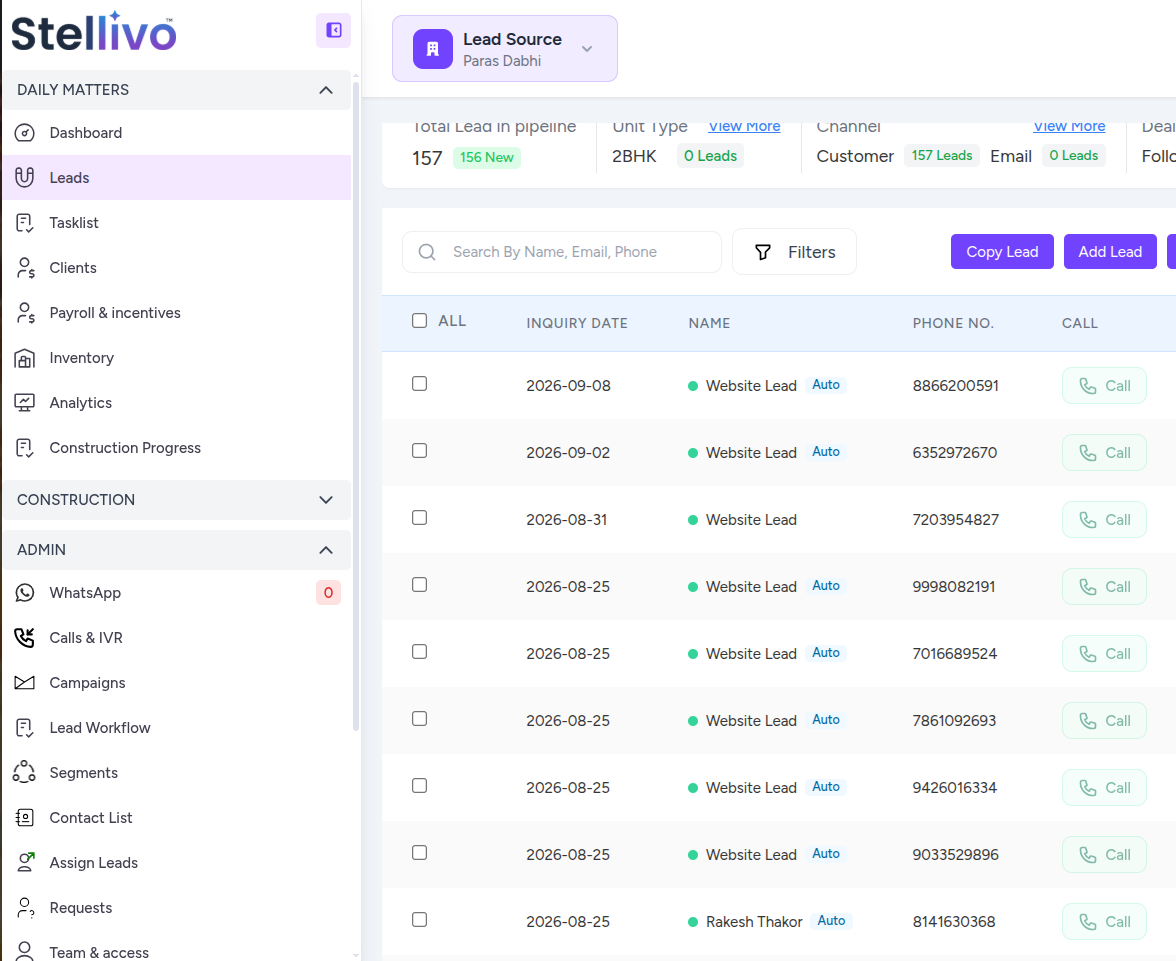
Open the Leads module
Show me whereFrom the Stellivo left sidebar, open Leads & CRM (or Leads). You should land on the Leads list where your team manages new and active opportunities.
Common Problems
Stuck? Check these frequent issues.
You're done!
You've completed “How to Add a New Lead”. Continue with the next guide when you're ready.
Explore more Stellivo documentation.
ContinueWas this tutorial easy to understand?